AI-Assisted Mindfulness: Calm Focus & Better Screen Habits
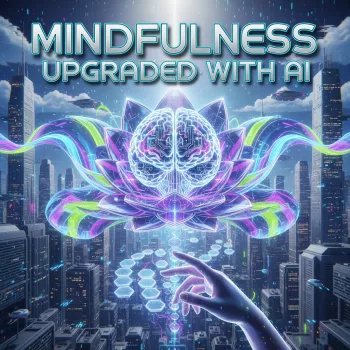
Mindfulness Upgraded with AI: A Practical Digital Guide for Calm Focus and Better Screen Habits
Digital life moves fast—messages, tabs, notifications, and constant context switching. A mindful routine can help, but it often breaks down when time is tight or focus is low. An AI-supported approach makes mindfulness easier to repeat by turning intentions into small actions: quick resets, guided reflection, and simple planning that fits real days.
Instead of aiming for “perfect calm,” the goal is steady, realistic attention: noticing when you’ve drifted, returning on purpose, and shaping your digital environment so it stops pulling you off course every few minutes. Research-backed mindfulness approaches like meditation and MBSR (mindfulness-based stress reduction) are widely used for stress support and emotional regulation (see American Psychological Association and NCBI Bookshelf).
What “AI-upgraded mindfulness” looks like in daily life
AI-upgraded mindfulness is less about long sessions and more about reducing friction. When attention is scattered, the hardest part is often starting. A structured, repeatable routine lowers the “activation energy” so you can actually do the practice—especially during busy workdays.
- Uses quick, structured guidance to reduce decision fatigue when starting a meditation or reset.
- Pairs attention training (breath, body scan, single-task focus) with practical digital boundaries (notifications, app limits, scheduled breaks).
- Emphasizes short sessions that stack: 2–5 minute check-ins multiple times a day rather than only long sessions.
- Makes progress visible with a simple routine planner and checklist so habits don’t rely on motivation alone.
This approach also respects a core reality: if your phone is the distraction, your system must include guardrails. Public-health guidance continues to emphasize being intentional about screen time and its effects on well-being (see World Health Organization guidance on screen time).
What’s inside the Mindfulness Upgraded with AI download
If you want a ready-to-use structure, the Mindfulness Upgraded with AI digital guide, checklist, and routine planner download is designed for practical follow-through rather than big reinventions.
- Digital mindfulness guide: step-by-step routines combining calming techniques with practical screen-time hygiene.
- AI-assisted meditation and focus support: reusable templates for grounding, reframing stress, and returning to the present.
- Calm living checklist: simple daily/weekly items to reduce overwhelm and align digital habits with priorities.
- Mindful routine planner: a lightweight morning/mid-day/evening planning system built to be reused.
How the components work together
| Component | When to use it | What it helps with | Typical time |
|---|---|---|---|
| Guide | Starting a new routine or resetting after a busy week | Clarity and structure | 15–30 minutes to set up |
| AI-assisted templates | When distracted, stressed, or stuck | Refocus and emotional regulation | 2–7 minutes |
| Calm living checklist | Daily/weekly review | Consistency and reduced overwhelm | 3–10 minutes |
| Routine planner | Morning planning + end-of-day wrap | Follow-through and balance | 5–12 minutes |
For people who want to extend the same “small systems” mindset into scheduling and task automation, AI-Powered Days: smart automation for a calmer schedule pairs well—especially if overwhelm comes from planning and not just distractions.
A simple 7-day mindful routine that fits a busy schedule
This week-long ramp-up is designed to be low-pressure. The win is showing up in small ways and creating a repeatable loop you can keep.
- Day 1: Baseline — note top distractions, your most stressful time of day, and one small boundary to try (example: notifications off for one hour).
- Day 2: Two-minute reset — do one short breathing cycle before opening email or social apps.
- Day 3: Single-task focus — choose one must-finish task; protect it with a start ritual and a timed work block.
- Day 4: Stress reframe — name the stressor, identify what’s controllable, then pick the next smallest action.
- Day 5: Digital declutter — remove one high-friction distraction (apps off home screen, auto-play off, mute non-urgent chats).
- Day 6: Mindful communication — pause before replying; draft a calm response; re-read for clarity and tone.
- Day 7: Review — check what worked, what didn’t, and choose one habit to keep for next week.
Keep the practices short on purpose. Two minutes done consistently beats twenty minutes done “someday,” and multiple micro-resets throughout the day reduce the buildup of stress and mental clutter.
How to use AI support without turning mindfulness into more screen time
The main risk of digital tools is adding more clicking, scrolling, and reading. A clean system uses AI briefly, then gets you back to an offline practice.
When this approach helps most (and when to choose something else)
Practical setup: a 10-minute start that reduces friction
If you want a plug-and-play structure with planning pages and reusable guidance, start with the Mindfulness Upgraded with AI | Digital Mindfulness Guide and, if your main stressor is schedule overload, pair it with AI-Powered Days for a calmer daily flow.
FAQ
Does AI-assisted meditation replace traditional meditation practice?
No. AI is best used for light structure and reflection, while the core practice is still attention training and mindful awareness—ideally done offline or with minimal guidance.
How much time per day is enough to notice a difference?
Many people do well with about 5–15 minutes total per day, split into a few micro-sessions. Consistency matters more than duration, especially when paired with one simple digital boundary.
What if the routine feels like another task on the to-do list?
Shrink it to one anchor and one micro-practice for a week, using just one quick support step before you begin. Track completion only, not performance, so it stays lightweight.





Leave a comment